
How to Connect an IPTV Box to your TV
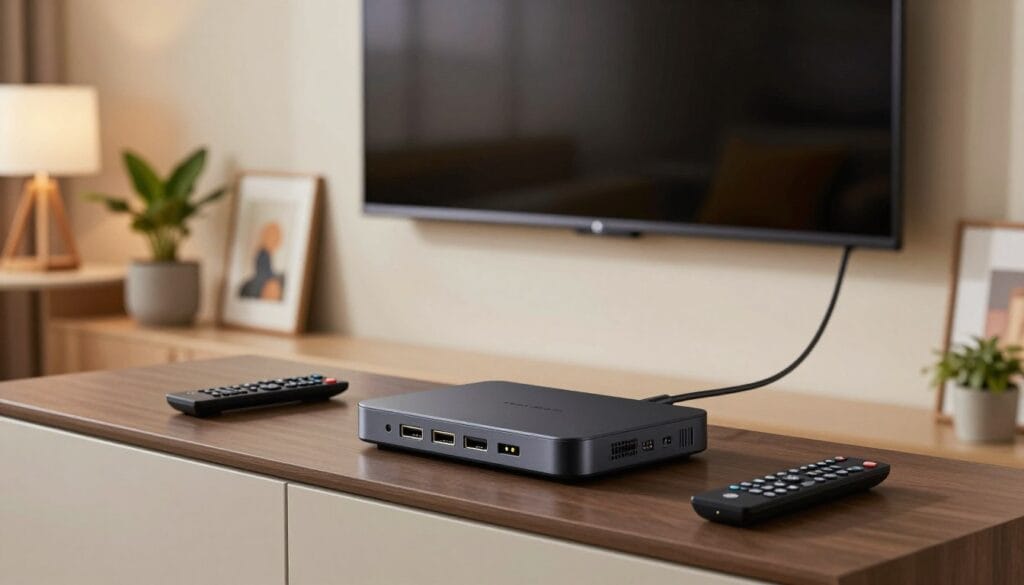
Discover the world of endless entertainment with IPTV technology. IPTV, or Internet Protocol Television, allows you to stream your favourite TV shows, movies, and sports events directly to your television, offering a more flexible and personalized viewing experience. Connecting an IPTV box to your TV is the first step towards unlocking this vast library of content. The process is straightforward, and with the right guidance, you can enjoy your favourite programmes in no time. Whether you’re looking to upgrade your current TV setup or simply explore new ways to enjoy your favourite content, this guide will walk you through the connection and setup process, making it easy to get started with IPTV. Key Takeaways Understanding IPTV Technology and Its Benefits IPTV technology is revolutionizing the way Canadians consume television, offering a more flexible and personalized viewing experience. As a result, many are switching from traditional cable TV to IPTV services for their entertainment needs. What is IPTV and How Does It Work? IPTV, or Internet Protocol Television, delivers television content over the internet rather than through traditional satellite or cable formats. This allows for a more streamlined and customizable viewing experience. IPTV services use a broadband connection to deliver content directly to your IPTV box, which is then connected to your TV. The IPTV box decodes the signal, allowing you to access a wide range of channels and on-demand content. This technology enables providers to offer a more personalized experience, with features like pause, rewind, and record live TV. Advantages of IPTV Over Traditional Cable in Canada One of the main advantages of IPTV is its flexibility. Unlike traditional cable, IPTV allows you to watch your favorite shows and movies on multiple devices, including smartphones, tablets, and smart TVs. Additionally, IPTV services often come with a more comprehensive range of on-demand content and interactive features. IPTV also offers better video quality and reliability compared to traditional cable. With IPTV, you can enjoy high-definition content with minimal buffering or interruptions, as long as you have a stable internet connection. Essential Equipment Needed to Connect an IPTV Box to Your TV For a seamless IPTV experience, understanding the essential equipment is crucial. The right devices ensure that you can enjoy your favorite TV shows and movies without interruptions. Popular IPTV Boxes Available in Canada Several IPTV boxes are popular among Canadian users due to their performance and features. Some of the top choices include: When choosing an IPTV box, consider factors such as processing power, memory, and compatibility with your TV. Additional Hardware Requirements Apart from the IPTV box, other hardware is necessary for a complete setup. This includes: Hardware Description HDMI Cable Essential for connecting your IPTV box to the TV, ensuring high-quality video and audio. Ethernet Cable Recommended for a stable internet connection, though Wi-Fi is also an option. Router A good quality router is necessary for a reliable internet connection. By selecting the right IPTV box and additional hardware, you can ensure a smooth and enjoyable IPTV experience. Preparing Your Home Network for IPTV Before diving into the world of IPTV, ensuring your home network is ready is essential. A well-prepared network not only enhances your viewing experience but also ensures that you can enjoy your favorite shows without interruptions. Internet Speed Requirements for Canadian IPTV Services For a smooth IPTV experience, your internet connection plays a crucial role. Most IPTV services in Canada recommend a minimum internet speed of 25 Mbps for standard definition (SD) content, 50 Mbps for high definition (HD) content, and 100 Mbps or more for 4K content. Ensuring your internet plan meets these requirements is the first step towards a buffer-free viewing experience. Router Placement and Wi-Fi Optimization The placement of your router significantly affects your IPTV streaming quality. Positioning your router in a central location in your home can help optimize your Wi-Fi signal. Additionally, using Wi-Fi extenders or mesh network systems can further enhance your network’s coverage and reduce dead spots. It’s also beneficial to update your router’s firmware regularly to ensure you have the latest features and security patches. Wired vs. Wireless Connections for IPTV When it comes to connecting your IPTV box, you have the option of using either a wired (Ethernet) or wireless (Wi-Fi) connection. A wired connection is generally more stable and less prone to interference, making it ideal for IPTV streaming. However, if you prefer the flexibility of wireless, ensure your router is configured correctly and consider upgrading to a Wi-Fi 5 or Wi-Fi 6 router for better performance. How to Connect an IPTV Box to Your TV: Step-by-Step Guide Connecting your IPTV box to your TV is a straightforward process that requires some basic knowledge and the right equipment. Before you start, make sure you have all the necessary cables and that your TV is turned off. Unboxing and Initial Setup Begin by unboxing your IPTV box and checking that all the components are included. Typically, you should find the IPTV box, a power adapter, and an HDMI cable. Connect the power adapter to the IPTV box and plug it into a power outlet. Next, take a look at the back of your IPTV box and identify the HDMI output. This is usually labeled as “HDMI OUT” or something similar. Make a note of any other ports available, such as USB or Ethernet ports, as these may be used later for additional setup or configuration. Connecting Using HDMI Cable The most common method to connect your IPTV box to your TV is by using an HDMI cable. Take one end of the HDMI cable and connect it to the HDMI output on your IPTV box. Then, connect the other end to an available HDMI input on your TV. Ensure that you remember which HDMI input you use, as you will need to select this input on your TV to view the IPTV content. For example, if you connect the HDMI cable to HDMI 2 on your TV, you will need to select HDMI 2 as
How to Set up Smartone IPTV App
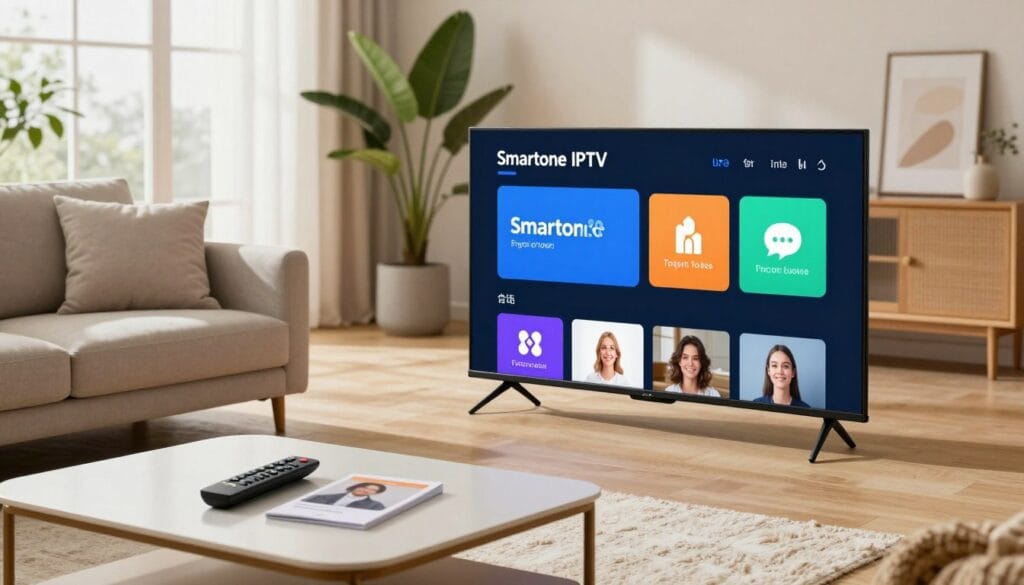
Are you ready to enjoy live TV, movies, and more on your device? The Smartone IPTV app is a popular choice among IPTV users due to its user-friendly interface and extensive content offerings. To get started, you’ll need to download and install the IPTV app on your device, create an account, and activate your subscription. This process is straightforward and easy to follow. With the Smartone IPTV app, you can access a wide range of channels and on-demand content. The setup process is simple, and we’ll guide you through it. Key Takeaways Understanding Smartone IPTV: Features and Benefits As a leading IPTV service provider, Smartone IPTV brings a new level of quality and variety to the table. With a focus on delivering an exceptional viewing experience, Smartone IPTV has become a go-to choice for those seeking a reliable and feature-rich IPTV solution. What is Smartone IPTV? Smartone IPTV is a cutting-edge internet television service that offers a vast array of live TV channels, movies, and series. By leveraging the power of internet protocol television (IPTV), Smartone provides users with a flexible and personalized entertainment experience. With Smartone IPTV, users can enjoy their favorite content on various devices, making it a versatile option for modern viewers. Key Features and Content Offerings Smartone IPTV boasts an impressive range of features and content offerings. Some of the key highlights include: Feature Description Benefit Live TV Channels Access to a wide range of live TV channels Stay up-to-date with the latest news, sports, and entertainment Movies and Series Vast library of on-demand content Enjoy your favorite shows and movies at your convenience Multi-Device Support Compatible with various devices Watch your content anywhere, anytime Why Choose Smartone IPTV Over Other Providers Smartone IPTV stands out from the competition due to its exceptional content offerings, reliable streaming performance, and user-friendly interface. With a focus on customer satisfaction and a commitment to delivering high-quality entertainment, Smartone IPTV is the ideal choice for those seeking a premium IPTV experience. By choosing Smartone IPTV, users can enjoy a comprehensive and enjoyable entertainment experience that meets their diverse viewing needs. Device Compatibility and Requirements To enjoy Smartone IPTV, understanding the compatibility and requirements of your device is vital. Ensuring your device meets these requirements is the first step towards a seamless viewing experience. Supported Devices and Operating Systems Smartone IPTV is designed to be compatible with a wide range of devices, including Android devices, iOS devices, and smart TVs. This broad compatibility ensures that users can access their favorite content across various platforms. Whether you’re using a smartphone, tablet, or smart TV, Smartone IPTV has got you covered. Internet Connection Requirements A stable internet connection is crucial for streaming content with Smartone IPTV. We recommend a minimum internet speed of 5 Mbps for SD content and 10 Mbps for HD content. Ensuring your internet connection meets these requirements will help prevent buffering and ensure a smooth viewing experience. Storage and Performance Considerations The storage and performance requirements for Smartone IPTV vary depending on the device. For optimal performance, we suggest having at least 1 GB of free storage on your device. Additionally, closing unnecessary apps can help improve the app’s performance and reduce the risk of crashes. Device Type Minimum Internet Speed Recommended Storage Android Devices 5 Mbps (SD), 10 Mbps (HD) 1 GB iOS Devices 5 Mbps (SD), 10 Mbps (HD) 1 GB Smart TVs 5 Mbps (SD), 10 Mbps (HD) N/A Downloading and Installing the Smartone IPTV App Getting started with Smartone IPTV is straightforward, beginning with downloading the app on your preferred device. The installation process varies slightly depending on whether you’re using an Android device, an iOS device, or a Smart TV. For Android Devices and TV Boxes For Android users, the process is simple. Navigate to the Smartone IPTV website, download the APK file, and follow the prompts to install it. Ensure you allow installations from unknown sources in your device settings. For iOS Devices (iPhone and iPad) iOS users can find the Smartone IPTV app in the App Store. Simply search for “Smartone IPTV,” download, and install it. You might need to enter your Apple ID password to confirm. For Smart TVs and Other Platforms For Smart TVs, check if Smartone IPTV is available in your TV’s app store. Some Smart TVs may require you to download an app installer first. For other platforms like Amazon Fire TV, navigate to the app store, search for Smartone IPTV, and install it directly. Device Installation Steps Android Download APK, enable unknown sources iOS Search in App Store, download and install Smart TV Check app store, download and install Creating and Activating Your Smartone IPTV Account The journey to accessing Smartone IPTV’s vast content begins with account creation. This process is straightforward and designed to be completed in a few simple steps. To get started, you need to sign up on the official Smartone IPTV website. This involves providing some basic information and choosing a subscription plan that suits your viewing needs. Signing Up on the Official Website Signing up is easy. Navigate to the Smartone IPTV official website and look for the ‘Sign Up’ or ‘Register’ button. You’ll be asked to provide details such as your name, email address, and a password. Ensure your password is strong and unique to secure your account. Subscription Plans and Payment Options Smartone IPTV offers various subscription plans to cater to different viewer preferences. These plans may include monthly, quarterly, or yearly subscriptions. You can choose the plan that best fits your budget and viewing habits. The payment process is secure, with multiple payment options available, including credit cards and online payment platforms. Here’s a summary of the typical subscription plans and their features: Plan Duration Features Price Basic 1 Month Access to Live TV, Limited VOD $10 Premium 3 Months Access to Live TV, Full VOD Library $25 Elite 1 Year Access to Live TV, Full VOD, Exclusive Content $90 Activating Your Account on the App After signing
How to Set Up IPTV for Beginners in Canada ?
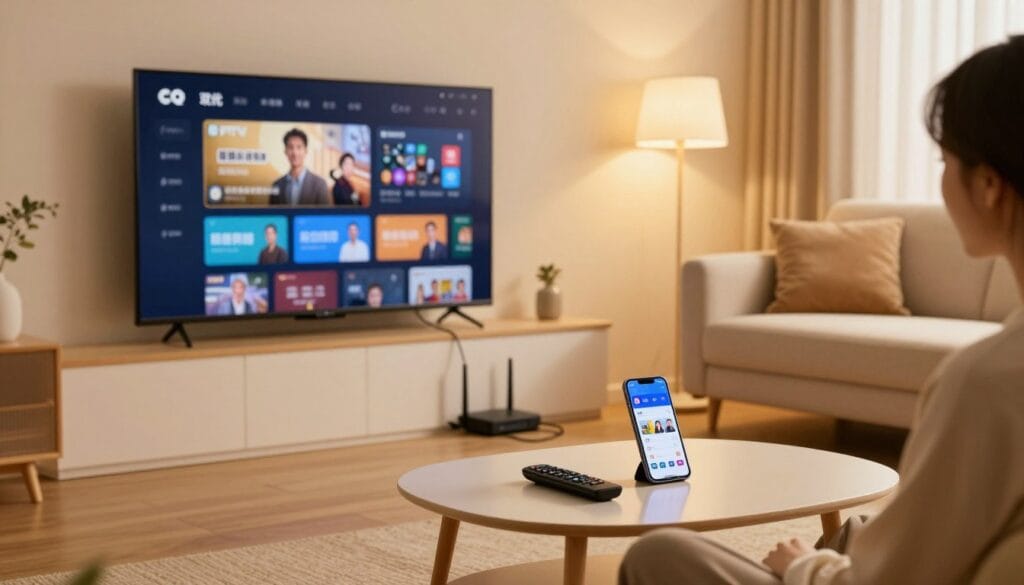
Are you a beginner in Canada looking to stream your favorite TV channels with ease? IPTV is a great option, offering a wide range of channels and on-demand content. In this article, we will guide you through the process of configuring IPTV for a seamless viewing experience. With the rise of IPTV services, Canadians can now access a vast array of TV channels and on-demand content. To get started, you will need to choose a reliable IPTV provider and understand the necessary steps to set up your IPTV service. Key Takeaways What Is IPTV and Why It’s Popular in Canada IPTV, or Internet Protocol Television, has revolutionized the way Canadians consume television content. By delivering television services over the internet, IPTV provides a more flexible and personalized viewing experience compared to traditional cable or satellite TV. The Basics of IPTV Technology IPTV technology uses the internet to stream live TV and on-demand content directly to your device. This is achieved through a stable internet connection, which allows for high-quality video streaming. Unlike traditional TV, which relies on broadcast signals or cable connections, IPTV utilizes your internet bandwidth to deliver content. This means that with a reliable internet connection, you can access a wide range of channels and content from anywhere. The technology behind IPTV involves encoding TV signals into digital packets and transmitting them over the internet. This allows users to access content on various devices, including smart TVs, smartphones, tablets, and computers. Advantages Over Traditional Canadian Cable Services One of the main advantages of IPTV over traditional Canadian cable services is its flexibility and customization. With IPTV, you can watch your favorite shows and live TV on multiple devices, at any time, as long as you have a stable internet connection. This level of flexibility is not typically available with traditional cable services. Additionally, IPTV often provides a wider range of content options, including international channels and on-demand services, which may not be available through traditional cable providers. This makes IPTV an attractive option for those looking for more diverse viewing choices. Overall, IPTV offers Canadians a modern, flexible, and personalized alternative to traditional TV viewing, making it a popular choice for many. Legal Considerations for IPTV in Canada Understanding the legal considerations of IPTV is crucial for Canadians looking to adopt this technology. As IPTV services become more prevalent, it’s essential to be aware of the legal framework governing their use. Canadian Broadcasting Regulations to Be Aware Of Canadian broadcasting regulations play a significant role in shaping the IPTV landscape. The Canadian Radio-television and Telecommunications Commission (CRTC) oversees the broadcasting industry, ensuring that services comply with regulations regarding content, licensing, and accessibility. IPTV providers must adhere to these regulations, which include providing a certain amount of Canadian content and adhering to copyright laws. Users should be aware that using unlicensed IPTV services can result in penalties and may not provide the same level of service reliability as licensed providers. Finding Legal IPTV Services in the Canadian Market To ensure compliance with Canadian broadcasting regulations, users should look for IPTV services that are licensed and compliant with CRTC regulations. Reputable IPTV providers will typically have agreements with content providers and adhere to Canadian broadcasting laws. When selecting an IPTV service, Canadians should research the provider’s reputation, check for any CRTC licenses, and review the service’s terms of use to ensure they are using a legal IPTV service. Essential Requirements to Set Up IPTV Setting up IPTV in Canada requires a few essential components to ensure a seamless viewing experience. To get started, users need to understand the basic technical requirements that enable smooth IPTV streaming. Recommended Internet Speed for Canadian Users A stable internet connection is crucial for IPTV. For standard definition (SD) streaming, a minimum internet speed of 5 Mbps is recommended. However, for high definition (HD) content, the speed requirement increases to at least 10 Mbps, and for ultra-high definition (UHD) or 4K content, it’s recommended to have 25 Mbps or more. Compatible Devices for IPTV Streaming IPTV can be streamed on various devices. The most common include: The choice of device often depends on personal preference and the specific IPTV service being used. Device Typical Use IPTV Compatibility Smart TV Direct streaming on TV High Amazon Fire TV Streaming on TV via Fire TV High Android/iOS Devices Streaming on mobile/tablet High Set-top Box Dedicated IPTV streaming Very High Additional Hardware You Might Need Depending on your setup, you might need additional hardware. This can include: It’s essential to check with your IPTV provider for any specific hardware recommendations they may have. Selecting the Right IPTV Provider in Canada Choosing the right IPTV provider is crucial for a seamless viewing experience in Canada. With the rise of IPTV, numerous providers have emerged, offering a range of services and channel packages. To make an informed decision, it’s essential to evaluate these providers based on their offerings and reliability. Top IPTV Providers Serving Canadian Customers Several IPTV providers serve Canadian customers, each with its strengths. Some of the top providers include: These providers offer a variety of channel packages, including sports, entertainment, and news. When choosing a provider, consider their reputation, customer service, and the quality of their streams. Evaluating Channel Selection and Canadian Content When evaluating IPTV providers, channel selection is a critical factor. Canadians should look for providers that offer a comprehensive range of channels, including local Canadian stations, sports networks, and international channels. Some key considerations include: It’s also important to consider the provider’s ability to deliver high-quality streams and their compatibility with various devices. By carefully evaluating these factors, Canadians can select an IPTV provider that meets their viewing needs and enhances their entertainment experience. IPTV Subscription Options and Pricing When it comes to IPTV services in Canada, understanding the various subscription options and pricing models is crucial for making an informed decision. With numerous providers offering a range of plans, Canadians have the flexibility to choose a service that fits their viewing habits
5 Best IPTV Brampton services in 2026 : Review
Canada’s streaming landscape is evolving, and IPTV services are at the forefront of this change. For residents in Brampton and across Canada, IPTV offers a flexible alternative to traditional TV, providing access to a wide range of channels and on-demand content. IPTV Brampton services have gained popularity due to their convenience and variety. In 2026, the best IPTV services are expected to offer high-quality streaming, user-friendly interfaces, and a broad selection of content, including sports and entertainment. As we review the top IPTV services in , we’ll consider factors such as channel offerings, streaming quality, and customer support to help you make an informed decision about your streaming needs. Key Takeaways The Evolution of IPTV Services in Canada Canada’s IPTV market has seen a substantial shift with advancements in technology and changing viewer preferences. This evolution has transformed the way Canadians consume television and streaming services. What is IPTV Technology in 2026 IPTV technology in 2026 utilizes Internet Protocol Television to deliver high-quality streaming services. It has evolved to support 4K and HD streaming, providing users with a superior viewing experience. Modern IPTV services also incorporate advanced features like catch-up TV and video-on-demand. How Canadian IPTV Market Has Changed The Canadian IPTV market has witnessed significant growth due to increased internet penetration and demand for on-demand content. The table below highlights key changes in the Canadian IPTV market. Year Key Developments Impact on Consumers 2020 Introduction of 4K streaming Enhanced viewing experience 2022 Increased availability of IPTV services More choices for consumers 2026 Advancements in streaming technology Better buffering and streaming quality IPTV Brampton: Local Market Analysis The IPTV market in Brampton is influenced by the city’s cultural mosaic and technological advancements. As a significant urban center in Canada, Brampton’s IPTV services are shaped by the diverse needs of its residents. Unique Viewing Preferences in Brampton Brampton’s diverse population drives the demand for a wide range of IPTV content. International channels and multicultural programming are particularly popular, reflecting the city’s rich cultural heritage. Viewers in Brampton also show a strong preference for sports and entertainment content, with many services offering premium sports packages and on-demand entertainment options. Content Type Popularity International Channels High Sports Content Very High Entertainment Content High Internet Infrastructure and Streaming Quality Brampton’s internet infrastructure plays a crucial role in supporting high-quality IPTV streaming. High-speed internet penetration is relatively high, enabling smooth streaming experiences for most users. However, some areas experience variability in internet speeds, which can impact streaming quality. IPTV services in Brampton must optimize their offerings to accommodate these variations. Our Evaluation Methodology Evaluating IPTV services required a multi-faceted methodology to ensure a comprehensive assessment of the top services available in Brampton, Canada. Our evaluation was designed to test the services across various parameters to provide an accurate comparison. Selection Criteria for Top Services The selection criteria for the top IPTV services included channel lineup variety, streaming quality, and user interface. We also considered the availability of Canadian content and sports channels, as these are crucial for Canadian viewers. Services that offered a wide range of channels and high-quality streaming were given preference. Testing Process Across Brampton Neighbourhoods Our testing process involved assessing the IPTV services across different neighbourhoods in Brampton to ensure consistent performance. We tested the services on various devices and internet connections to evaluate their buffering times and streaming stability. The results were then compiled to determine the top-performing services. IPTV-Smarter: Best Overall Service In the competitive landscape of Canadian IPTV services, IPTV-Smarter stands out for its exceptional quality and reliability. With a comprehensive range of channels and a user-friendly interface, it has become a top choice for many Canadians. Service Overview IPTV-Smarter offers an extensive channel lineup that caters to diverse viewer preferences. Its content library includes a wide variety of TV shows, movies, and sports events, ensuring there’s something for everyone. Channel Selection and Content Library IPTV-Smarter boasts an impressive channel selection, featuring popular Canadian and international networks. The service includes: Pricing Structure The pricing for IPTV-Smarter is competitive, with various packages to suit different budgets. The main plans include: Pros CanaStream IPTV has several advantages, including: Cons While CanaStream IPTV is a strong service, it does have some drawbacks: Performance in Brampton Area In the Brampton area, IPTV-Smarter performs exceptionally well, thanks to its robust infrastructure and reliable streaming quality. Users in Brampton can enjoy seamless IPTV streaming with CanaStream IPTV, making it an excellent choice for local residents. ModeIPTV: Premium Canadian Content Mode IPTV is known for its extensive range of premium Canadian content, catering to the diverse viewing preferences of Canadian audiences. With a robust channel lineup and a user-friendly interface, Mode IPTV has established itself as a leading provider of Canadian IPTV services. Mode IPTV Overview Mode IPTV offers a comprehensive viewing experience with its vast selection of Canadian channels, including popular networks and specialty channels. The service is designed to provide high-quality streaming with minimal buffering, ensuring an enjoyable viewing experience. Channel Selection and Content Library The channel selection on Mode IPTV includes a wide range of Canadian content, from news and entertainment to sports and lifestyle programming. The content library is regularly updated to include the latest shows and events, keeping viewers engaged and informed. Pricing Structure Mode IPTV offers competitive pricing plans, with options to suit different budgets and viewing needs. The pricing structure is transparent, with no hidden fees or surprise charges. Plan Price Features Basic $20/month 100+ Canadian channels Premium $30/month 200+ Canadian channels, HD streaming Elite $40/month 300+ Canadian channels, 4K streaming, sports package Pros Cons Performance in Brampton Area In the Brampton area, While Mode IPTV excels in Canadian content, its international offerings are limited. has demonstrated strong performance, with fast streaming speeds and reliable connectivity. The service is well-suited for Brampton residents seeking high-quality Canadian IPTV. IPTV-Canadian: Best for Sports Fans For sports fans in Brampton, IPTV-Canadian offers an unparalleled viewing experience. With a wide range of sports channels and high-quality streaming, it’s no wonder that IPTV-Canadian
IPTV Pricing in Canada: Discover Why IPTVSmarter is the Top Choice

Canadian viewers are increasingly turning to IPTV services for their television needs. With numerous options available, finding the right service can be overwhelming. IPTV-Smarter stands out as a top choice among Canadian customers, offering a comprehensive IPTV service that caters to diverse viewing preferences. IPTV-Smarter provides a wide range of channels and on-demand content at competitive prices, making it an attractive option for those seeking quality television services in Canada. By understanding the needs of Canadian viewers, IPTV-Smarter has established itself as a leader in the Canadian IPTV market. Key Takeaways The Evolution of TV Viewing in Canada The way Canadians watch TV is undergoing a dramatic change, driven by Internet Protocol Television (IPTV). This shift is not just about technology; it’s about the freedom and flexibility that IPTV offers to viewers. From Cable TV to Internet Protocol Television Traditional cable TV has been the staple of Canadian entertainment for decades. However, with the advent of IPTV, Canadians are now opting for a more personalized and flexible viewing experience. IPTV delivers television content over the internet, allowing for a more interactive and customizable service. Why Canadians Are Switching to IPTV Services Canadians are switching to IPTV services for several compelling reasons. Firstly, IPTV offers a wider range of live TV channels and on-demand content than traditional cable. Secondly, it provides the flexibility to watch TV on various devices, from smart TVs to smartphones. Lastly, IPTV services are often more cost-effective, offering competitive pricing plans that appeal to budget-conscious Canadians. Understanding IPTV Services for Canadian Viewers With IPTV, Canadians can enjoy a more personalized television experience. IPTV services deliver television content over the internet, providing a flexible and high-quality viewing experience. How IPTV Works Over Your Internet Connection IPTV streams content directly to your device via your internet connection, eliminating the need for traditional broadcast methods. This results in a more stable and higher quality viewing experience compared to conventional TV. Benefits of IPTV Over Traditional Television IPTV offers several advantages over traditional television, including: Access to International Content One of the significant benefits of IPTV is the access to international content, allowing viewers to watch channels and programs from around the world. On-Demand Viewing Flexibility IPTV services also offer on-demand viewing flexibility, enabling users to watch their favorite shows and movies at any time. Feature IPTV Traditional TV Content Variety International and on-demand content Limited to local broadcasts Viewing Flexibility On-demand and personalized Scheduled programming IPTV Pricing Across Canada: A Comprehensive Guide The cost of IPTV services in Canada is influenced by several factors, including channel selection and streaming quality. Understanding these factors is key to choosing the right IPTV service for your needs. Average Subscription Costs in Different Provinces IPTV pricing varies across Canada, with different provinces having different average subscription costs. For instance, subscribers in urban areas like Toronto and Vancouver might have different pricing options compared to those in rural areas. What Determines IPTV Service Pricing Several factors determine IPTV service pricing, including: Channel Selection Impact on Cost The more channels you have access to, especially premium channels, the higher the subscription cost. Services offering a wide range of channels, including sports and entertainment, tend to be more expensive. Resolution and Streaming Quality Factors Higher streaming quality, such as 4K resolution, requires more bandwidth and typically costs more. Services that offer high-quality streams may charge a premium for this feature. Monthly vs. Annual Subscription Value Many IPTV services offer both monthly and annual subscription plans. While monthly plans offer flexibility, annual plans often provide better value, with discounts for committing to a full year of service. By understanding these factors, Canadians can make informed decisions when choosing an IPTV service that meets their viewing needs and budget. Legal Considerations for IPTV Users in Canada The legal considerations for IPTV users in Canada are multifaceted, involving licensed providers and copyright laws. As the popularity of IPTV services continues to grow, understanding these legal aspects becomes increasingly important for consumers. Current Regulations and Compliance Canadian regulations require IPTV providers to comply with specific laws and guidelines. This includes obtaining necessary licenses and adhering to copyright regulations. IPTV-Smarter, for instance, ensures full compliance with these regulations, providing a secure and legal viewing experience. Choosing Licensed IPTV Providers To avoid legal issues, Canadian viewers should opt for licensed IPTV providers. These providers have the necessary permissions to broadcast content, ensuring that users are not inadvertently engaging in copyright infringement. Licensed IPTV providers like IPTV-Smarter offer peace of mind and a wide range of content. Copyright Implications for Canadian Viewers Copyright laws in Canada dictate how IPTV services can distribute content. Viewers using unlicensed IPTV services may be at risk of copyright infringement. By choosing a licensed provider, Canadians can enjoy their favorite shows and movies legally. Key copyright implications include: Introducing IPTV-Smarter: Canada’s Leading IPTV Solution IPTV-Smarter stands out as a premier IPTV solution in Canada, offering a comprehensive television experience that caters to the diverse needs of Canadian viewers. With a strong presence across the country, IPTV-Smarter is redefining the way people watch TV. Company Background and Canadian Market Presence IPTV-Smarter has established itself as a trusted name in the Canadian IPTV market. The company’s commitment to providing high-quality service has earned it a significant following across different provinces. Service Coverage from Vancouver to Halifax One of IPTV-Smarter’s key strengths is its extensive service coverage, which spans from Vancouver on the west coast to Halifax on the east coast. This ensures that Canadians from all regions can enjoy reliable IPTV services. Customer Satisfaction and Growth Statistics IPTV-Smarter’s focus on customer satisfaction has led to impressive growth statistics. The company continues to expand its subscriber base, driven by positive word-of-mouth and a reputation for delivering an exceptional viewing experience. With its robust infrastructure and commitment to customer satisfaction, IPTV-Smarter is well-positioned to remain a leading IPTV provider in Canada. As the demand for IPTV services continues to grow, IPTV-Smarter is poised to meet the evolving needs of Canadian viewers. IPTVSmarter’s
Finding the Right IPTV Provider: What You Should Look For

Choosing the right IPTV service can be a daunting task, given the numerous options available in the market. With so many streaming services vying for attention, it’s essential to know what to look for in a reliable IPTV provider. As you navigate through the various options, consider the quality of the content, the stability of the service, and the overall user experience. A good IPTV provider should offer a seamless viewing experience with minimal buffering and high-quality streams. Key Takeaways Understanding IPTV: The Future of Television As technology advances, Internet Protocol Television (IPTV) is emerging as a compelling alternative to traditional TV viewing methods. IPTV utilizes internet protocol to deliver television content, offering a more flexible and personalized viewing experience. What Is Internet Protocol Television? Internet Protocol Television (IPTV) is a system where television services are delivered through the internet, rather than through traditional terrestrial, satellite, or cable formats. This method allows for a more customized viewing experience, as content is streamed directly to your device via a broadband connection. The key benefits of IPTV include: How IPTV Differs from Traditional Cable IPTV differs significantly from traditional cable television in several ways. Firstly, IPTV uses the internet to stream content, whereas traditional cable relies on a dedicated cable network. This difference allows IPTV to offer more flexibility and on-demand content, as well as potentially higher video quality through advanced streaming technologies. Some key differences include: The Canadian IPTV Landscape As the demand for IPTV continues to grow in Canada, understanding the current landscape is crucial for consumers. The IPTV market in Canada is diverse, with numerous IPTV service providers offering a range of TV services and IPTV subscriptions. Current State of IPTV in Canada The current state of IPTV in Canada is characterized by a mix of established players and new entrants. Many IPTV providers are offering competitive packages that include a wide range of channels and on-demand content. This competition is driving innovation and improving services for consumers. Legal Considerations for Canadian Users Canadian users must be aware of the legal considerations when subscribing to IPTV services. It’s essential to choose a legitimate IPTV service provider that complies with Canadian laws and regulations. Users should be cautious of services that offer pirated content or operate in legal gray areas. Canadian Content Availability The availability of Canadian content on IPTV platforms is a significant factor for many users. Many IPTV services offer a variety of Canadian channels and on-demand content, catering to the diverse interests of Canadian viewers. IPTV Provider Canadian Content Subscription Price IPTV-Smarter Yes $19/month Mode IPTV Yes $25/month Canadian IPTV No $20/month Essential Features of a Quality IPTV Provider When selecting an IPTV provider, it’s crucial to consider several key features that can significantly impact your viewing experience. A quality IPTV service should offer a robust combination of channel selection, high-quality streaming, and on-demand content. Channel Selection and Variety A diverse channel lineup is essential for an IPTV service. Look for providers that offer a wide range of live channels, including sports, news, entertainment, and international programming. The more channels available, the more flexibility you’ll have in choosing content that suits your preferences. Stream Quality and Resolution Options The stream quality is a critical factor in the IPTV experience. Opt for providers that offer HD streaming and 4K resolution options where available. High-definition content ensures a crisp and clear picture, enhancing your overall viewing satisfaction. On-Demand Content Availability In addition to live channels, a quality IPTV provider should offer a comprehensive library of on-demand content. This includes movies, TV shows, and other programming that you can watch at your convenience. A robust on-demand selection adds significant value to your IPTV subscription. By focusing on these essential features, you can identify an IPTV provider that meets your viewing needs and delivers a superior television experience. Technical Requirements for Optimal IPTV Experience The quality of your IPTV experience is heavily influenced by the technical setup of your connection and devices. To ensure a smooth and buffer-free streaming experience, several key technical requirements must be met. Internet Connection Speed Requirements A stable and fast internet connection is crucial for IPTV streaming. The recommended minimum speed for standard definition (SD) streaming is 5 Mbps, while high definition (HD) requires at least 10 Mbps, and 4K streaming demands 25 Mbps or more. It’s essential to check your internet plan to ensure it meets these requirements. Compatible Devices and Hardware IPTV can be accessed on various devices, including smart TVs, smartphones, tablets, and dedicated IPTV set-top boxes. Ensure that your device is compatible with the IPTV service provider’s technology. For optimal performance, consider using devices with the latest software updates and sufficient processing power. Device Minimum Requirements Recommended Smart TV HDMI port, Internet connectivity Latest smart TV OS, 4K resolution Smartphone/Tablet iOS 12 or Android 8.0, 2GB RAM Latest OS version, 4GB RAM or more Software and App Considerations Most IPTV services come with dedicated apps for various platforms. Ensure that you have the latest version of the app installed to benefit from the latest features and security patches. Some IPTV providers may also require specific software or firmware on your devices. “The right technology can make all the difference in your IPTV viewing experience.” – IPTV Expert By meeting these technical requirements, you can enjoy a high-quality IPTV experience with minimal buffering and optimal video quality. Subscription Models and Pricing Structures When selecting an IPTV provider, understanding the various subscription models and pricing structures is crucial for making an informed decision. IPTV services offer a range of subscription plans designed to cater to different user needs. The primary distinction lies between monthly and annual subscriptions. Monthly vs. Annual Subscriptions Monthly subscriptions provide flexibility, allowing users to cancel or change their plan at short notice. This is ideal for those who are unsure about their long-term viewing needs or prefer to test a service before committing fully. Annual subscriptions, on the other hand, often come with discounts for committing to a full
IPTV Setup Guide: Set Up IPTV on Android TV & Android TV Box
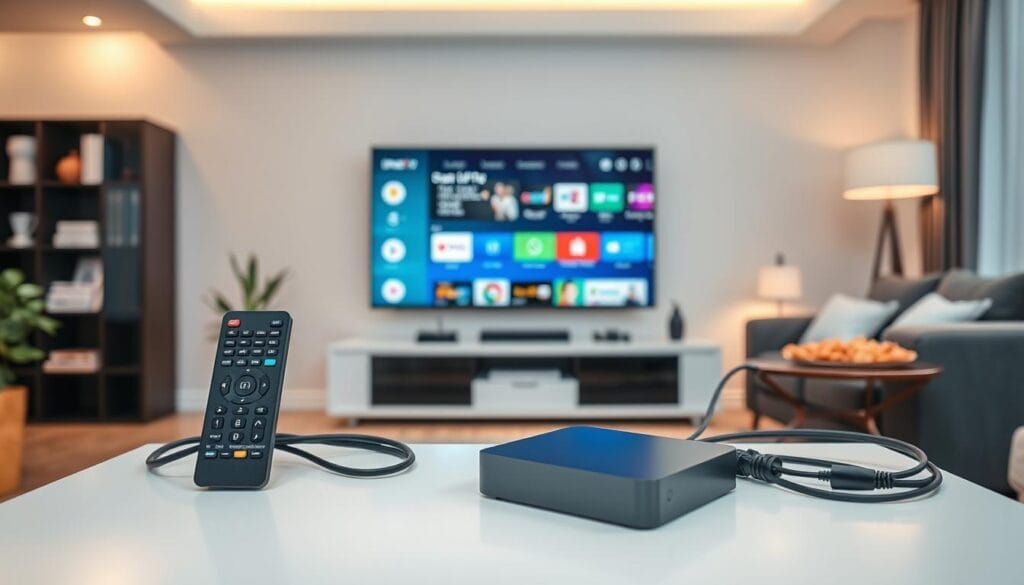
Are you looking to elevate your viewing experience with IPTV on Android TV or Android TV Box? Setting up IPTV can seem daunting, but with the right guidance, it’s a straightforward process. This guide will walk you through the steps to set up IPTV on your device, ensuring you can enjoy your favourite channels and content with ease. Whether you’re using an Android TV or an Android TV Box, this guide is designed to help you get started quickly. Key Takeaways What Is IPTV and Why Choose It IPTV, or Internet Protocol Television, is revolutionizing the way Canadians consume television content. This technology allows users to stream television content over the internet, providing a more flexible and personalized viewing experience. Understanding Internet Protocol Television Internet Protocol Television (IPTV) delivers television content through internet protocols, unlike traditional methods that rely on satellite or cable signals. This method allows for on-demand content and interactive features, enhancing the user experience. Advantages Over Traditional Cable or Satellite IPTV offers several advantages over traditional TV services, including: As noted by a recent survey, “The flexibility and personalization offered by IPTV are key factors driving its adoption among Canadian consumers.” — IPTV Industry Report Legal Considerations for IPTV in Canada When choosing an IPTV service in Canada, it’s crucial to consider the legal implications. Ensure that your IPTV provider is compliant with Canadian copyright laws and regulations. Legal IPTV Service Illegal IPTV Service Compliant with Canadian copyright laws Pirates copyrighted content Offers transparent pricing and subscription models May offer suspiciously low prices Provides customer support and service guarantees Lacks customer support or accountability By choosing a legal IPTV service, Canadians can enjoy their favorite TV shows and movies while supporting content creators and adhering to the law. Essential Requirements Before You Begin To ensure a smooth IPTV experience, several key elements must be in place beforehand. Understanding these essential requirements will help you navigate the setup process more efficiently. IPTV Subscription Basics First and foremost, you need an active IPTV subscription. This subscription provides access to a wide range of channels and content. When choosing an IPTV provider, consider factors such as channel lineup, streaming quality, and customer support. Internet Connection Requirements A stable and fast internet connection is crucial for uninterrupted IPTV streaming. Ensure your internet speed meets the minimum requirements for IPTV, typically at least 5 Mbps for SD content and 25 Mbps for HD content. Understanding M3U Playlists and EPG Familiarize yourself with M3U playlists and EPG (Electronic Program Guide). An M3U playlist is a file that contains channel information, while EPG provides a schedule of TV programs. These components are vital for a seamless IPTV experience. By understanding these basics, you’ll be well-prepared to set up IPTV on your Android TV or Android TV Box. Compatible Devices for IPTV on Android TV For a smooth IPTV experience on Android TV, choosing the right hardware is essential. The good news is that there are numerous devices compatible with IPTV streaming, ranging from smart TVs with built-in Android TV to dedicated Android TV boxes. Android TV Built-in Smart TVs Many modern smart TVs come with Android TV built-in, making them an excellent choice for IPTV streaming. Brands like Sony, Philips, and TCL offer a range of models with Android TV, providing access to various IPTV apps. When selecting a smart TV, ensure it has the latest Android TV version for the best IPTV experience. Popular Android TV Box Models For those with non-Android TVs or looking for an upgrade, Android TV boxes are a great option. Popular models include: When choosing an Android TV box, consider factors like processing power, RAM, and storage capacity to ensure smooth IPTV playback. Minimum Hardware Specifications To enjoy IPTV without buffering or lag, your device should meet certain minimum hardware specifications. Storage Requirements A minimum of 8GB of internal storage is recommended, though 16GB or more is ideal, especially if you plan to store apps or cache data. RAM and Processor Needs For smooth IPTV streaming, a device with at least 2GB of RAM is recommended, though 4GB or more is preferable for heavier usage. A quad-core processor is typically sufficient for most IPTV needs, but a hexa-core or octa-core processor can handle more demanding tasks and future-proof your device. Preparing Your Android Device for IPTV Before diving into the world of IPTV on your Android device, it’s essential to prepare it properly. This preparation ensures a smooth and enjoyable IPTV experience. Checking Your Android Version First, verify that your Android device is running a compatible version of the Android operating system. Most IPTV apps require Android version 7.0 or later for optimal performance. To check your Android version, go to Settings > About > Android version. Setting Up Wired vs. Wi-Fi Connections A stable internet connection is crucial for IPTV. You can connect your Android TV or TV Box via Wi-Fi or a wired Ethernet connection. While Wi-Fi is more convenient, a wired connection provides a more stable and faster connection, which is ideal for high-quality IPTV streaming. Enabling Installation from Unknown Sources To install IPTV apps that are not available on the Google Play Store, you need to enable installation from unknown sources. This setting is usually found under Settings > Security > Unknown sources. Be cautious when enabling this setting, as it can pose a security risk if not managed properly. Creating Necessary Folders for M3U Files Some IPTV apps require you to store M3U files in specific folders. Create a folder on your device’s storage (internal or external) and name it something recognizable like “IPTV” or “M3U Files.” This makes it easier to locate these files when configuring your IPTV app. Task Description Check Android Version Ensure your device is running Android 7.0 or later. Internet Connection Choose between Wi-Fi or a wired Ethernet connection for stability. Unknown Sources Enable installation from unknown sources for IPTV apps. M3U Files Folder Create a dedicated folder for storing M3U files. Best IPTV Apps for Android
Best IPTV Quebec: Top IPTV Provider 2026

Quebec residents are increasingly turning to IPTV services for their television streaming needs. With numerous providers available, choosing the best one can be a daunting task. The top IPTV providers in Quebec offer a range of channels, flexible pricing, and high-quality streaming. Reliable services are essential for an uninterrupted viewing experience. When selecting an IPTV provider, it’s crucial to consider factors such as channel lineup, streaming quality, and customer support. The best IPTV services in Quebec offer a seamless viewing experience. Key Takeaways Understanding IPTV Services in Quebec IPTV services have revolutionized the way people in Quebec consume television, offering a flexible and personalized viewing experience. This shift is driven by the growing demand for on-demand content and high-quality streaming. What Is Internet Protocol Television and How Does It Work? Internet Protocol Television (IPTV) delivers television content over the internet, rather than through traditional satellite or cable formats. This method allows for a more personalized viewing experience, as users can access content on-demand. IPTV works by converting television signals into internet protocol packets, which are then transmitted to users’ devices via a broadband connection. The technology behind IPTV enables seamless streaming and the ability to watch content on various devices, including smart TVs, smartphones, and tablets. This flexibility is a significant advantage over traditional TV services. The Growing Popularity of IPTV in Quebec The popularity of IPTV in Quebec is on the rise, driven by several factors. One key reason is the province’s high internet penetration rate, which ensures that most households have the necessary infrastructure to support IPTV services. Another factor is the increasing demand for on-demand content and the ability to customize viewing experiences. IPTV providers in Quebec offer a range of channels and content options, catering to diverse viewer preferences. Features Traditional TV IPTV Content Delivery Satellite or Cable Internet Protocol Viewing Experience Linear Programming On-Demand Content Device Compatibility Limited to TV Sets Multiple Devices Supported Legal Considerations for IPTV in Canada As IPTV continues to grow in popularity in Quebec and Canada, its legal status remains a key concern. The rise of IPTV has sparked discussions about its legitimacy and the regulatory frameworks that govern it. Is IPTV Legal in Quebec and Canada? IPTV, or Internet Protocol Television, is legal in Canada as long as it is used to access content from authorized sources. The legality hinges on the source of the content rather than the technology itself. “The use of IPTV to stream copyrighted content without permission is illegal,” as stated by Canadian broadcasting regulations. Users must ensure they are subscribing to IPTV services that have the necessary licenses to broadcast content. Reputable IPTV providers in Quebec and Canada comply with these regulations, offering a legal and enjoyable viewing experience. Regulatory Framework for Streaming Services in Quebec The regulatory framework for IPTV services in Quebec is overseen by the Canadian Radio-television and Telecommunications Commission (CRTC). The CRTC ensures that IPTV providers adhere to Canadian broadcasting regulations, including licensing requirements and content standards. “The CRTC’s role is to balance the needs of consumers with the rights of content creators and distributors, ensuring a vibrant and diverse broadcasting system.” This framework is crucial for maintaining the integrity of the IPTV services offered in Quebec, ensuring they operate within the legal boundaries set by Canadian law. In conclusion, while IPTV is legal in Quebec and Canada, it is essential for users to choose licensed providers to ensure compliance with the regulatory framework. Key Factors to Consider When Choosing an IPTV Provider As IPTV continues to grow in popularity, understanding what makes a good IPTV provider is essential. With so many options available, consumers need to consider several key factors to ensure they select a service that meets their viewing needs. Stream Quality and 4K Resolution Options One of the most critical factors is stream quality. A good IPTV provider should offer high-definition (HD) streaming with minimal buffering and lag. For those with 4K–compatible devices, the availability of 4K resolution options is also a significant consideration. 4K streaming provides a much more immersive viewing experience with its superior picture quality. French and English Channel Selection Another important consideration is the range of channels offered. For viewers in Quebec, it’s crucial that the IPTV provider includes a comprehensive selection of both French and English channels. This ensures that there’s something for everyone, regardless of their preferred language. Service Reliability and Technical Support Service reliability is also vital. A reliable IPTV service should have a strong uptime record and be able to maintain a stable connection. Equally important is the quality of technical support provided. Look for providers that offer responsive customer support to help resolve any issues quickly. By considering these factors, consumers can make an informed decision when choosing an IPTV provider, ensuring they get the best possible viewing experience. IPTV Quebec: Top Providers for 2026 Top IPTV providers in Quebec for 2026 are reviewed below, highlighting their key features and benefits. When choosing an IPTV service, it’s essential to consider factors such as channel selection, stream quality, and customer support. IPTV-Quebec : IPTV-Quebec offers a comprehensive channel lineup, including popular French and English channels. Their service is known for its high-quality streams and reliable customer support. With a user-friendly interface, IPTV–Quebec makes it easy to navigate and find your favorite shows. IPTV-Smarter : IPTV-Smarter stands out for its extensive HD channel offerings and competitive pricing. They provide a robust channel lineup that caters to diverse viewer preferences, ensuring a satisfying viewing experience. Mode IPTV: Mode IPTV is recognized for its broad channel selection and flexible subscription plans. They offer a range of packages that can be tailored to individual viewing needs, making it a versatile option for Quebec residents. QuebecHD: QuebecHD is a popular choice among locals, offering a mix of local and international channels. Their service is praised for its easy-to-use interface and responsive customer service. QuebecIPTV: Quebeciptv provides a solid IPTV service with a focus on reliable streaming and a variety of channel options. They
Reset IPTV Box: Troubleshoot, Optimize Streaming, Factory Reset
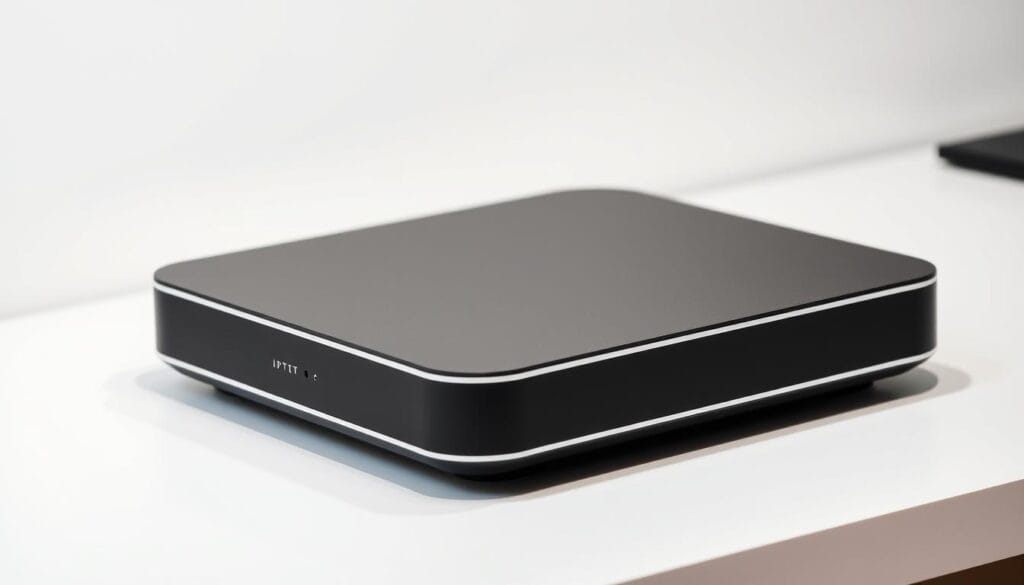
Are you experiencing issues with your streaming service? A reset might be the solution you need. IPTV devices can sometimes be finicky, and a simple factory reset can resolve many common problems. Performing a reset on your device can help troubleshoot issues and optimize streaming quality. This process can clear out temporary glitches and restore your device to its original settings, ensuring a smoother viewing experience. Key Takeaways Understanding IPTV Boxes and Their Functionality IPTV boxes are devices that enable users to stream content from the internet directly to their TVs. These devices have become increasingly popular due to their ability to provide access to a wide range of channels and on-demand content. What Is an IPTV Box and How Does It Work An IPTV box works by connecting to the internet and decoding IPTV signals, allowing users to watch TV channels and access various streaming services. It typically requires a subscription to an IPTV service to function. Common Components and Features of Modern IPTV Boxes Modern IPTV boxes often come with features such as Wi-Fi connectivity, HDMI output, and support for various video formats. Some common components include a processor, memory, and an operating system, usually Android or Linux-based. Different Types of IPTV Boxes in the Market There are various types of IPTV boxes available, including Android-based boxes, MAG IPTV boxes, and devices from brands like Formuler and Infomir. Each type has its unique features and capabilities. Type of IPTV Box Operating System Key Features Android-based Android Access to Google Play Store, Wide app compatibility MAG IPTV Linux-based High performance, Advanced streaming capabilities Formuler Linux-based High-quality video output, Robust user interface Signs Your IPTV Box Needs a Reset A reset can often resolve the common issues that plague IPTV boxes. If you’re experiencing problems with your device, it’s essential to identify the signs that indicate a need for a reset. This section will guide you through the common issues that may require a reset, helping you troubleshoot and potentially reset IPTV box. Buffering and Streaming Quality Issues One of the most frustrating issues with IPTV boxes is buffering and poor streaming quality. If your streams are constantly buffering or the video quality is subpar, it might be a sign that your IPTV box needs a reset. Buffering issues can be caused by a variety of factors, including network congestion, software glitches, or hardware problems. App Crashes and System Freezes If your IPTV box’s apps are crashing frequently or the system is freezing, it’s a clear indication that something is amiss. App crashes can be due to corrupted data or software issues, while system freezes might indicate a more profound problem with the device’s operating system. Menu Navigation Problems Difficulty navigating the menu or accessing certain features can be a sign that your IPTV box needs a reset. If the interface is unresponsive or laggy, it could be due to a software issue that a reset can resolve. Audio and Video Sync Issues When the audio and video are out of sync, it can be very distracting. This issue can occur due to processing delays or software glitches. A reset might help resolve these audio and video sync issues by clearing out temporary glitches. Issue Possible Cause Potential Solution Buffering Network congestion, software glitches Reset IPTV box, check network App crashes Corrupted data, software issues Reset app, reset IPTV box Menu navigation problems Software issues, interface glitches Reset IPTV box Audio and video sync issues Processing delays, software glitches Reset IPTV box Types of Resets for Your IPTV Box When dealing with IPTV box issues, understanding the different types of resets is crucial. Resets can help troubleshoot and resolve various problems, from minor glitches to more serious system failures. Soft Reset vs. Hard Reset A soft reset is a gentle restart of your IPTV box, similar to restarting a computer. It’s used to resolve minor issues like freezing or slow performance. On the other hand, a hard reset involves physically restarting the device, usually by unplugging it, and is used for more severe problems. Factory Reset: When It’s Necessary A factory reset erases all data and settings, restoring the IPTV box to its original state. This is typically done when selling the device or resolving persistent issues that other resets can’t fix. App-Specific Resets Some IPTV boxes allow app-specific resets, which can resolve issues with individual applications without affecting the entire system. Reset Type Description Use Case Soft Reset Gentle restart Minor glitches Hard Reset Physical restart Severe system issues Factory Reset Erase all data and settings Persistent issues or selling the device App-Specific Reset Reset individual apps App-specific issues Before You Reset: Important Preparations Before resetting your IPTV box, it’s crucial to take some preparatory steps to ensure a smooth transition and minimize potential disruptions. Backing Up Your Settings and Favorites First, backup your settings and favorites to avoid losing your personalized configurations. This includes saved channels, login credentials, and customized preferences. Check your IPTV box’s settings menu for backup options or consult the user manual for specific instructions. Recording Your Subscription Details It’s also essential to record your subscription details, including account usernames, passwords, and any other relevant information. This will help you quickly restore your services after the reset. Checking for Alternative Solutions Before proceeding with a reset, consider alternative solutions to your current issues. Check for software updates, restart your device, or consult online forums for troubleshooting tips. Sometimes, a simple reboot or update can resolve the problem without needing a full reset. How to Perform a Soft Reset on Your IPTV Box When your IPTV box malfunctions, a soft reset is often the first step to getting it working again. This process can resolve various issues without erasing your settings, making it a safe troubleshooting method. Using the Remote Control Method One of the simplest ways to soft reset your IPTV box is by using your remote control. Most IPTV remotes have a button or combination of buttons that allow you to restart the
IPTV Sports Streaming: How to Watch Your Favorite Games Live ?

Are you tired of missing your favorite live sports events due to geographical restrictions or poor broadcast quality? IPTV sports streaming is here to revolutionize the way you watch your favorite games. With IPTV, you can stream live sports from anywhere in the world, enjoying high-quality video and audio without the need for traditional TV subscriptions. This technology provides an easy access to various sports channels and events, making it a game-changer for sports enthusiasts. Key Takeaways Understanding IPTV Sports Streaming IPTV is changing the game for sports enthusiasts everywhere. IPTV, or Internet Protocol Television, allows users to stream sports content directly to their devices via the internet, bypassing traditional broadcast methods. What Is IPTV and How Does It Work? IPTV delivers television content through internet protocols, unlike traditional satellite or cable TV. This method provides a more flexible and personalized viewing experience. IPTV services can be accessed on various devices, including smart TVs, smartphones, and computers. The Evolution of Sports Broadcasting Sports broadcasting has undergone significant changes over the years. From traditional radio and TV broadcasts to online streaming, the way we consume sports has evolved dramatically. IPTV represents a major milestone in this evolution, offering high-quality, on-demand sports content. Broadcasting Method Key Features Accessibility Traditional TV Live broadcasts, limited on-demand content TV sets IPTV On-demand content, live streaming, personalized viewing Smart TVs, smartphones, computers Online Streaming On-demand content, live streaming Smartphones, computers, streaming devices The evolution of sports broadcasting has made it easier for fans to access their favorite sports and teams. With IPTV, the future of sports viewing looks promising, offering a more interactive and engaging experience. Benefits of IPTV for Sports Fans IPTV is changing the sports broadcasting landscape by offering a more personalized and accessible viewing experience. This shift is particularly beneficial for sports fans who are looking for more than what traditional cable services can offer. Cost Advantages Over Traditional Cable One of the primary benefits of IPTV for sports fans is the cost advantage. IPTV services often provide more flexible pricing plans and packages that can be tailored to individual preferences, potentially saving users money compared to traditional cable subscriptions. Access to International Sports Channels IPTV also offers access to a wide range of international sports channels, allowing fans to watch sports events from around the world. This is particularly beneficial for those interested in sports that are not widely covered by local broadcasters. On-Demand Sports Content and Replays Another significant advantage of IPTV is the availability of on-demand sports content and replays. Fans can watch missed games, highlights, and analysis at their convenience, enhancing their overall viewing experience. Feature IPTV Traditional Cable Cost Flexible pricing plans Fixed packages International Channels Wide range available Limited international coverage On-Demand Content Available Limited Essential Equipment for IPTV Sports Streaming Setting up IPTV for sports streaming involves choosing the right devices and ensuring a robust internet connection. To enjoy your favorite sports without interruptions, you’ll need to meet certain technical requirements. Internet Requirements for Smooth Streaming A stable and fast internet connection is crucial for IPTV sports streaming. A minimum speed of 5 Mbps is recommended for HD streaming, while 4K streaming requires at least 25 Mbps. Ensure your internet plan can handle the required bandwidth to avoid buffering issues. Compatible Devices for IPTV Sports IPTV sports streaming can be enjoyed on various devices, including smart TVs, streaming devices like Fire TV Stick and Apple TV, and mobile devices. Choose a device that supports your IPTV service and provides a user-friendly interface. IPTV Players and Applications To stream IPTV content, you’ll need an IPTV player or application. Popular options include IPTV Smarters, GSE Smart IPTV, and TiviMate. These apps are compatible with various devices and offer features like EPG and catch-up TV. Recommended Hardware Specifications For a seamless IPTV sports streaming experience, ensure your device meets the recommended hardware specifications. A dual-core processor, at least 2GB of RAM, and Android 9 or later are recommended for most IPTV apps. IPTV Sports Streaming: How to Watch Your Favorite Games Live Getting started with IPTV sports streaming is easier than you think, and we’re here to guide you through the process. With the right setup and configuration, you can enjoy high-quality, live sports streaming from the comfort of your home or on the go. Step-by-Step Setup Guide To begin streaming sports via IPTV, you’ll first need to ensure you have the necessary equipment and a stable internet connection. Follow these steps: Ensure your internet speed is sufficient for smooth streaming, ideally at least 25 Mbps for HD content. Configuring Your IPTV Service After setting up your IPTV service, configuring it for optimal performance is crucial. Here are some tips: Some IPTV services offer additional features like catch-up TV or on-demand content, which can enhance your sports viewing experience. Optimizing Your Streaming Experience To get the most out of your IPTV sports streaming, consider the following optimizations: By following these steps and tips, you can significantly enhance your IPTV sports streaming experience, ensuring that you never miss a moment of the action. Top IPTV Services for Sports Enthusiasts in 2025 In 2025, the best IPTV services for sports are redefining how we watch our favorite games, offering unparalleled access and flexibility. With a plethora of options available, sports enthusiasts can choose from a variety of services tailored to their viewing preferences. Premium IPTV Subscription Options Premium IPTV services offer a comprehensive sports viewing experience, with access to a wide range of channels and high-quality streams. Some of the top premium services include: Free IPTV Sports Alternatives For those on a budget, free IPTV sports alternatives are available, though they may come with some limitations. These services can be a great way to access live sports without a subscription: Sports-Specific IPTV Services Sports-specific IPTV services cater directly to sports fans, offering tailored content and features that enhance the viewing experience: Whether you’re looking for a premium viewing experience or a free alternative, there’s an IPTV service in 2025 that’s