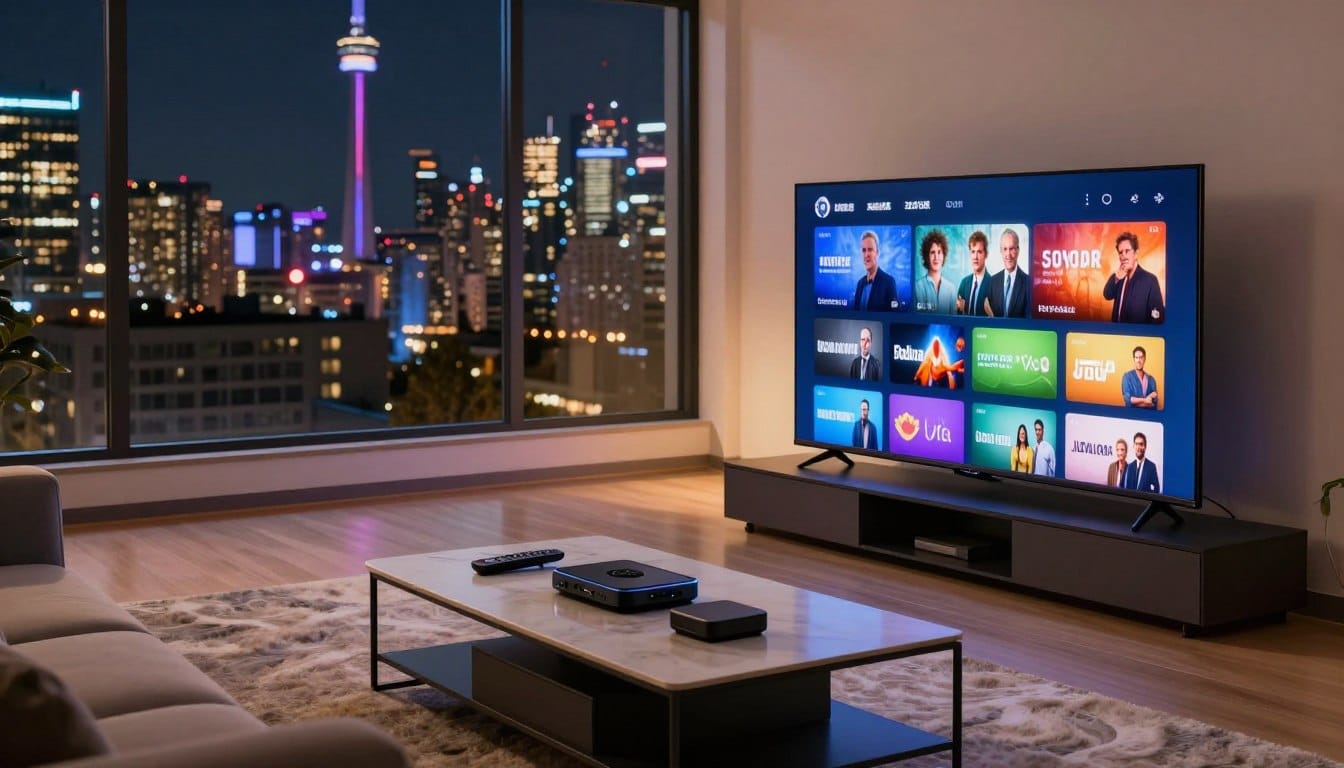
Discover the world of endless entertainment with IPTV technology. IPTV, or Internet Protocol Television, allows you to stream your favourite TV shows, movies, and sports events directly to your television, offering a more flexible and personalized viewing experience.
Connecting an IPTV box to your TV is the first step towards unlocking this vast library of content. The process is straightforward, and with the right guidance, you can enjoy your favourite programmes in no time.
Whether you’re looking to upgrade your current TV setup or simply explore new ways to enjoy your favourite content, this guide will walk you through the connection and setup process, making it easy to get started with IPTV.
Key Takeaways
- Understand the benefits of using IPTV technology for your TV viewing needs.
- Learn the basic requirements for setting up an IPTV box.
- Discover the simple steps to connect your IPTV box to your TV.
- Explore tips for optimizing your IPTV viewing experience.
- Troubleshoot common issues that may arise during the setup process.
Understanding IPTV Technology and Its Benefits
IPTV technology is revolutionizing the way Canadians consume television, offering a more flexible and personalized viewing experience. As a result, many are switching from traditional cable TV to IPTV services for their entertainment needs.
What is IPTV and How Does It Work?
IPTV, or Internet Protocol Television, delivers television content over the internet rather than through traditional satellite or cable formats. This allows for a more streamlined and customizable viewing experience. IPTV services use a broadband connection to deliver content directly to your IPTV box, which is then connected to your TV.
The IPTV box decodes the signal, allowing you to access a wide range of channels and on-demand content. This technology enables providers to offer a more personalized experience, with features like pause, rewind, and record live TV.
Advantages of IPTV Over Traditional Cable in Canada
One of the main advantages of IPTV is its flexibility. Unlike traditional cable, IPTV allows you to watch your favorite shows and movies on multiple devices, including smartphones, tablets, and smart TVs. Additionally, IPTV services often come with a more comprehensive range of on-demand content and interactive features.
IPTV also offers better video quality and reliability compared to traditional cable. With IPTV, you can enjoy high-definition content with minimal buffering or interruptions, as long as you have a stable internet connection.

Essential Equipment Needed to Connect an IPTV Box to Your TV
For a seamless IPTV experience, understanding the essential equipment is crucial. The right devices ensure that you can enjoy your favorite TV shows and movies without interruptions.
Popular IPTV Boxes Available in Canada
Several IPTV boxes are popular among Canadian users due to their performance and features. Some of the top choices include:
- Formuler Z7+: Known for its powerful processor and support for 4K content.
- Magico Box: Offers a user-friendly interface and excellent streaming quality.
- Android TV Boxes: These are versatile and can be customized with various IPTV apps.
When choosing an IPTV box, consider factors such as processing power, memory, and compatibility with your TV.
Additional Hardware Requirements
Apart from the IPTV box, other hardware is necessary for a complete setup. This includes:
| Hardware | Description |
|---|---|
| HDMI Cable | Essential for connecting your IPTV box to the TV, ensuring high-quality video and audio. |
| Ethernet Cable | Recommended for a stable internet connection, though Wi-Fi is also an option. |
| Router | A good quality router is necessary for a reliable internet connection. |

By selecting the right IPTV box and additional hardware, you can ensure a smooth and enjoyable IPTV experience.
Preparing Your Home Network for IPTV
Before diving into the world of IPTV, ensuring your home network is ready is essential. A well-prepared network not only enhances your viewing experience but also ensures that you can enjoy your favorite shows without interruptions.
Internet Speed Requirements for Canadian IPTV Services
For a smooth IPTV experience, your internet connection plays a crucial role. Most IPTV services in Canada recommend a minimum internet speed of 25 Mbps for standard definition (SD) content, 50 Mbps for high definition (HD) content, and 100 Mbps or more for 4K content. Ensuring your internet plan meets these requirements is the first step towards a buffer-free viewing experience.
Router Placement and Wi-Fi Optimization
The placement of your router significantly affects your IPTV streaming quality. Positioning your router in a central location in your home can help optimize your Wi-Fi signal. Additionally, using Wi-Fi extenders or mesh network systems can further enhance your network’s coverage and reduce dead spots. It’s also beneficial to update your router’s firmware regularly to ensure you have the latest features and security patches.

Wired vs. Wireless Connections for IPTV
When it comes to connecting your IPTV box, you have the option of using either a wired (Ethernet) or wireless (Wi-Fi) connection. A wired connection is generally more stable and less prone to interference, making it ideal for IPTV streaming. However, if you prefer the flexibility of wireless, ensure your router is configured correctly and consider upgrading to a Wi-Fi 5 or Wi-Fi 6 router for better performance.
- Wired Connection Advantages: Stable, low latency, secure.
- Wireless Connection Advantages: Convenient, flexible, easy to set up.
How to Connect an IPTV Box to Your TV: Step-by-Step Guide
Connecting your IPTV box to your TV is a straightforward process that requires some basic knowledge and the right equipment. Before you start, make sure you have all the necessary cables and that your TV is turned off.
Unboxing and Initial Setup
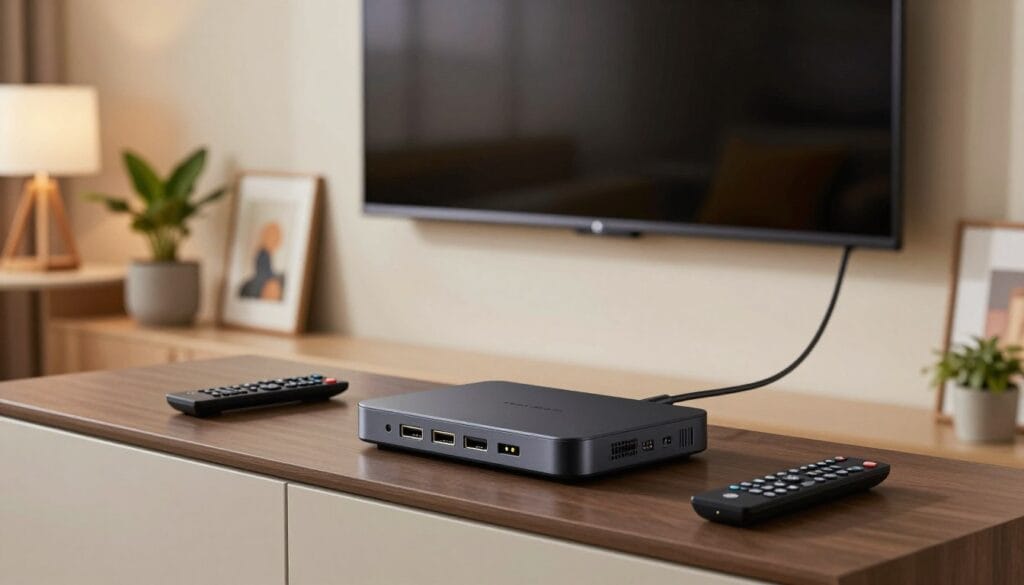
Begin by unboxing your IPTV box and checking that all the components are included. Typically, you should find the IPTV box, a power adapter, and an HDMI cable. Connect the power adapter to the IPTV box and plug it into a power outlet.
Next, take a look at the back of your IPTV box and identify the HDMI output. This is usually labeled as “HDMI OUT” or something similar. Make a note of any other ports available, such as USB or Ethernet ports, as these may be used later for additional setup or configuration.
Connecting Using HDMI Cable
The most common method to connect your IPTV box to your TV is by using an HDMI cable. Take one end of the HDMI cable and connect it to the HDMI output on your IPTV box. Then, connect the other end to an available HDMI input on your TV.
Ensure that you remember which HDMI input you use, as you will need to select this input on your TV to view the IPTV content. For example, if you connect the HDMI cable to HDMI 2 on your TV, you will need to select HDMI 2 as the input source.
Alternative Connection Methods
While HDMI is the most common connection method, some IPTV boxes may offer alternative connection options, such as component video or composite video. These methods may not provide the same quality as HDMI but can be used if your TV does not have an available HDMI port.
To use an alternative connection method, refer to your IPTV box’s manual for specific instructions on how to connect using these ports. Typically, you will need to match the colored cables to the corresponding colored ports on both the IPTV box and the TV.
| Connection Method | Quality | Ease of Use |
|---|---|---|
| HDMI | High | Easy |
| Component Video | Medium | Moderate |
| Composite Video | Low | Moderate |
By following these steps, you should be able to successfully connect your IPTV box to your TV and start enjoying your favorite channels.
Configuring Network Settings on Your IPTV Box
Configuring your IPTV box’s network settings is a crucial step in enjoying uninterrupted streaming services. A well-configured network ensures that you can access your favorite channels without buffering or connectivity issues.
Setting Up Wi-Fi Connection
To set up a Wi-Fi connection on your IPTV box, navigate to the settings menu and select the wireless network option. Ensure that your IPTV box is connected to the same network as your router. Enter your Wi-Fi password to complete the connection. It’s essential to use a strong password to prevent unauthorized access to your network.
Tips for a stable Wi-Fi connection:
- Place your router in a central location to improve coverage.
- Use the 5GHz band for less interference.
- Update your router’s firmware regularly.
Configuring Ethernet Connection
For a more stable connection, consider using an Ethernet cable to connect your IPTV box directly to your router. This method reduces the risk of interference and provides a faster connection. To configure an Ethernet connection, simply plug in the Ethernet cable into both devices and ensure that your IPTV box is set to use the Ethernet connection in the settings menu.
Benefits of using Ethernet:
- Reduced latency for a smoother viewing experience.
- Less prone to interference from other devices.
- Generally faster than Wi-Fi connections.
Installing and Setting Up IPTV Applications
The installation of IPTV apps is a simple yet critical step in accessing your favorite TV shows and movies. With numerous options available, Canadian users can choose from a variety of applications that cater to their viewing preferences.
Popular IPTV Apps for Canadian Users
Several IPTV apps are popular among Canadian users due to their user-friendly interfaces and comprehensive channel lineups. Some of the top choices include:
- TiviMate: Known for its ease of use and compatibility with various devices.
- IPTV Smarters: Offers a robust EPG and supports multiple profiles.
- SS IPTV: Provides a wide range of channels and on-demand content.
Configuring Your IPTV Service Provider Details
After installing your chosen IPTV app, you need to configure it with your service provider’s details. This typically involves entering your username, password, and sometimes the server URL provided by your IPTV service provider.
| Detail | Description |
|---|---|
| Username | Your unique identifier provided by the IPTV service |
| Password | Your login password for the IPTV service |
| Server URL | The address of the IPTV server, if required |
Setting Up EPG (Electronic Program Guide)
An Electronic Program Guide (EPG) is essential for navigating through channels and scheduling recordings. Most IPTV apps allow you to configure the EPG by entering the EPG URL provided by your service provider or by automatically fetching it from the app’s settings.
By following these steps, you can enjoy a seamless IPTV viewing experience with access to a wide range of channels and on-demand content.
Optimizing Your IPTV Box Settings for Best Performance
Ensuring your IPTV box is properly configured can significantly enhance your TV viewing experience. A well-optimized IPTV box not only provides a smoother viewing experience but also ensures that you can enjoy your favorite shows and movies with the best possible video and audio quality.
Video and Audio Settings
Adjusting the video and audio settings on your IPTV box can greatly impact your viewing experience. To optimize these settings, navigate to the settings menu on your IPTV box and select the video output format that matches your TV’s capabilities. For instance, if your TV supports 4K resolution, ensure that the IPTV box is set to output in 4K. Similarly, adjust the audio settings to utilize features like Dolby Atmos or DTS:X if your sound system supports it.
| Setting | Description | Recommended Value |
|---|---|---|
| Video Output | Resolution and format of video output | 4K (2160p) |
| Audio Output | Audio format and quality | Dolby Atmos or DTS:X |
Buffer Settings for Smooth Playback
Buffer settings are crucial for preventing interruptions during playback. A buffer setting that is too low may cause frequent buffering, while a setting that is too high can introduce latency. It’s recommended to adjust the buffer settings based on your internet connection speed. For most users, a buffer size of 2-3 seconds is ideal.
Parental Controls and Security Features
Enabling parental controls on your IPTV box can help restrict access to certain channels or content based on age ratings. Additionally, some IPTV boxes offer security features like password protection for settings and the ability to block specific channels. Configuring these features can enhance the security and suitability of your IPTV experience for all family members.
Troubleshooting Common IPTV Connection Issues
Common IPTV connection problems can be addressed by understanding the root causes. IPTV services rely on a stable internet connection, and issues can arise from various factors including network congestion, hardware malfunctions, or incorrect settings.
Dealing with Buffering Problems
Buffering is often a result of insufficient internet speed. To resolve this, check your internet plan and ensure it meets the minimum speed requirements for IPTV services, typically at least 25 Mbps for HD content. You can also try:
- Reducing the number of devices connected to your network to free up bandwidth.
- Using a wired Ethernet connection instead of Wi-Fi for a more stable link.
- Restarting your IPTV box and router to refresh the connection.
Resolving Network Connectivity Issues
Network connectivity issues can stem from your router or modem. Ensure that your router is:
- Placed in a central location to optimize Wi-Fi coverage.
- Configured correctly, with the latest firmware updates.
- Not overwhelmed by too many connected devices.
If issues persist, consider restarting your router or contacting your ISP for assistance with your network settings.
Fixing Audio and Video Quality Problems
Poor audio and video quality can be due to incorrect settings on your IPTV box. Check that your video output settings match your TV’s capabilities. For instance, if your TV supports 4K, ensure that your IPTV box is set to output 4K content. Additionally, adjusting the audio settings to match your sound system’s capabilities can improve overall quality.
Canadian IPTV Services and Legal Considerations
With the growing popularity of IPTV in Canada, it’s essential to differentiate between legal and illegal IPTV service providers. The legal landscape surrounding IPTV is complex, involving various regulations and compliance requirements.
Choosing a legal IPTV service is crucial for Canadians to avoid potential legal issues and ensure a high-quality viewing experience. A legitimate IPTV service provider complies with Canadian broadcasting regulations, offering a reliable and stable service.
Legal IPTV Service Providers in Canada
Several IPTV service providers operate legally in Canada, offering a range of channels and on-demand content. Some of the well-known legal IPTV providers include those that are affiliated with or approved by major Canadian telecommunications companies.
| Provider | Package Options | Additional Features |
|---|---|---|
| IPTV-Smarter | Varied packages including sports and entertainment | Cloud DVR, On-Demand Content |
| Bell Fibe TV | Range of packages with 4K and HDR options | Personalized Recommendations, Multi-Room DVR |
| Telus Optik TV | Extensive channel lineup with premium options | Recordings, On-Demand Library |
Understanding Canadian Broadcasting Regulations
Canadian broadcasting regulations are overseen by the Canadian Radio-television and Telecommunications Commission (CRTC). The CRTC ensures that all broadcasting services, including IPTV, comply with regulations regarding content, licensing, and consumer protection.
IPTV service providers must obtain the necessary licenses and adhere to content guidelines to operate legally in Canada. This includes respecting copyright laws and ensuring that their services do not infringe on the rights of content creators.
By understanding and complying with these regulations, Canadians can enjoy IPTV services that are not only entertaining but also legally compliant.
Conclusion
To enhance your viewing experience, connecting your IPTV box to your TV is a straightforward process. Ensure you follow the outlined steps to setup your IPTV box correctly. This includes preparing your home network and configuring your IPTV application.
A stable internet connection is crucial to connect your IPTV box. Choose a wired or wireless connection that suits your needs. Popular IPTV boxes in Canada can be easily configured to work with your TV.
For a seamless experience, we recommend checking your internet speed and optimizing your router’s placement. By following these guidelines and selecting a legal IPTV service provider in Canada, you can enjoy a superior TV viewing experience with your iptv box.
FAQ
What is the minimum internet speed required for smooth IPTV streaming?
For a seamless IPTV experience, a minimum internet speed of 25 Mbps is recommended for HD content, while 50 Mbps or more is suggested for 4K streaming. Ensure your internet plan meets these requirements for optimal performance.
How do I connect my IPTV box to my TV?
To connect your IPTV box, use an HDMI cable to link it to your TV. Simply plug one end into the IPTV box’s HDMI port and the other into an available HDMI port on your TV, then select the correct HDMI input on your TV.
Can I use a wireless connection for my IPTV box?
Yes, you can use a wireless connection for your IPTV box if it supports Wi-Fi. However, for a more stable connection, consider using an Ethernet cable directly from your router to the IPTV box.
How do I configure my IPTV service provider details on the IPTV box?
To configure your IPTV service provider details, navigate to the IPTV box’s settings menu, select the ‘IPTV Settings’ or ‘Account’ section, and enter your provider’s details, including the server URL, username, and password.
What should I do if my IPTV box is buffering or freezing?
If your IPTV box is buffering or freezing, check your internet connection speed and ensure it meets the minimum requirements. You can also try restarting your IPTV box, router, or modem to resolve the issue.
Are there any parental controls available on IPTV boxes?
Yes, many IPTV boxes offer parental controls that allow you to restrict access to certain channels or content based on ratings or specific categories. Check your IPTV box’s settings to enable and customize these controls.
Can I use my IPTV box with multiple TVs?
Some IPTV service providers offer the ability to connect multiple devices to your account. Check with your provider to see if this is an option and follow their instructions for setting up additional devices.
How do I update the software on my IPTV box?
To update the software on your IPTV box, go to the settings menu, look for ‘System Update’ or ‘Software Update’, and follow the on-screen instructions to download and install the latest update.
Is it legal to use IPTV services in Canada?
Yes, it is legal to use IPTV services in Canada if you subscribe to a legitimate IPTV service provider that complies with Canadian broadcasting regulations. Always research and choose a reputable provider to ensure you’re accessing content legally.